iCLUB365 account history, settings and support
 Available in AU
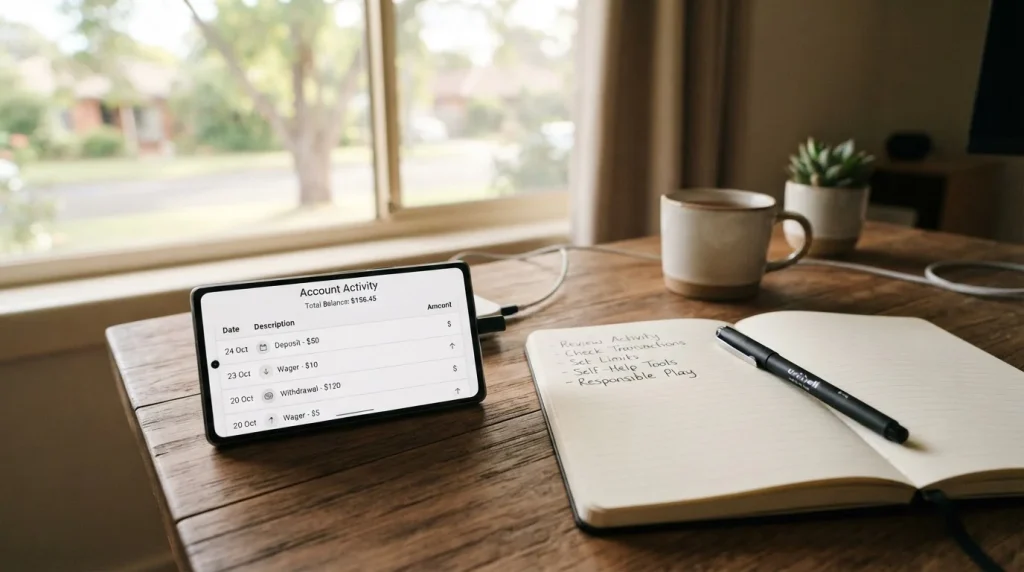
iCLUB365 presents a browser-based account interface with Home, History, Promo, Live Chat and Setting navigation labels. The most useful distinction for a reader is between an action shown inside the website and an event independently recorded by a bank, card provider or blockchain. A history entry may show that a request exists; it does not by itself demonstrate that funds reached a destination. The account, payments and support views can each contribute a different part of the chronology.
Table of Contents
What the account navigation separates
The Home entry is the ordinary starting point for browsing the website. History points toward prior account activity. Promo refers to promotional material, while Live Chat identifies a support entry and Setting a place for account preferences. These are distinct labels, so one should not assume that an action recorded in one area is automatically reflected in another. Reading them in context helps explain why two people can describe the same payment using different words.
For example, a customer may say that a withdrawal was completed because a form was submitted successfully. Another person may reserve that word for the moment a bank balance increases. Both descriptions refer to real stages in a possible transaction, but they are not interchangeable. A clear account record should identify the stage, not simply use an overall label such as completed or pending without explaining what it applies to.
The browser format adds another distinction: the interface can render on a phone without there being a dedicated native application. The site’s navigation should therefore be evaluated as a web experience. Refreshing a browser, switching tabs or leaving a mobile session can change which screen is currently displayed, but those actions should not be confused with an instruction to a payment provider.
- History: a place to inspect account activity and construct a timeline.
- Live Chat: an entry for questions, explanations and correspondence.
- Setting: an account-options area, separate from a payment ledger.
- Promo: promotional navigation, separate from the actual cash balance.
The distinction is especially useful when a payment question involves several steps. Start by identifying which screen contains the account event, then look for any external payment evidence. The mobile-interface guide describes the compact navigation in more detail.
Building a transaction chronology that can be checked
A useful chronology starts with a precise action, its date and the amount involved. Next comes the status displayed in the account interface, followed by any transfer reference that appears in an external payment record. Finally, support messages can be placed alongside the other events. This approach avoids treating the most recent message as the definitive outcome of a transfer.
A deposit and a withdrawal should have separate histories, even when they concern the same balance. Deposits begin with a sending bank, card or wallet and proceed towards the receiving account. A withdrawal begins with an instruction inside the account and may depend on additional decisions before a payment provider is instructed. The methods, reference numbers and relevant dates can therefore differ. This also explains why the availability of a deposit method does not prove that the same route is available for withdrawing funds.
- Record the account action in plain language: deposit instruction, withdrawal request, account adjustment or support message.
- Save the displayed date, amount and reference without exposing personal credentials.
- Match that entry against the bank, card or wallet record when one exists.
- Keep support correspondence in chronological order and preserve the exact question asked.
- Separate an internal status update from evidence of a completed external transfer.
For bank payments, an identifier such as PayID describes a destination for transfers; it is not proof that every subsequent transfer has cleared. A processing stage can continue after the sender’s instruction appears in an app. The payments guide explains the difference between cashier routing, bank settlement and the movement of crypto assets.
Consider a hypothetical example with no assumed iCLUB365 limits: an account history shows a withdrawal request in the morning, support replies later that day and the bank statement records a credit on a different date. The record must preserve all three events. It would be misleading to describe the support reply as the bank settlement or the initial request as the receipt of cash. This distinction matters whether a transfer is eventually successful or disputed.
Live Chat and the meaning of a support response
Live Chat is visible as part of iCLUB365’s browser navigation. That establishes a contact entry, not a guaranteed queue time or outcome. A question about a payment is easier to interpret when it identifies the exact transaction and requests clarification of the current stage. A general statement such as “my money is missing” may capture the concern, but it leaves several possible stages unspecified.
When recording a chat, distinguish what a support agent said from what the account or payment record demonstrates. An assurance that a matter is being reviewed is different from an external payment confirmation. A promised callback, if any, would likewise be a communication event rather than evidence that money has moved. Copying the exact message and preserving the time helps avoid reconstructing it from memory later.
Public customer comments about iCLUB365 include both favourable transactions and complaints about payment or service experiences. Such accounts can identify recurring questions to ask, but their brevity often leaves the transaction chronology incomplete. The account holder’s own dates, references and communications are more useful for understanding an individual event than assuming any review represents a typical outcome.
Keep private account details out of public complaints. A screenshot can show an event without showing the entire bank account number, an identity document or a wallet recovery phrase. Personal information should be shared only through an appropriate secure channel and only where it is necessary to deal with a specific question.
Settings, shared devices and account security
Mobile convenience changes the way sensitive information is exposed. Browser password managers, notification previews and shared-device sessions can allow someone else to see an account name or recent activity. A Setting tab may provide account options, but the presence of that label does not establish which security controls are implemented or how effective they are. The sensible distinction is between controls visible on a particular device and assurances about an operator’s systems.
Use device-level safeguards when handling any sensitive account, including a screen lock and controlled access to saved passwords. Be cautious with links received through messaging services, especially when they ask for credentials or direct you to an unfamiliar domain. A support conversation should not be treated as permission to disclose a recovery phrase or one-time authentication code.
For cryptocurrency transfers, public transaction identifiers can help explain a transfer’s movement on-chain, but secret keys and recovery phrases must remain private. A blockchain transaction can be irreversible even when the corresponding account screen has not changed. That makes it especially important to distinguish a network confirmation from an account balance adjustment.
| Record | What it can show | What it does not prove |
|---|---|---|
| History entry | Displayed account action and date | External funds settlement |
| Bank or wallet record | Transfer activity at the provider | Internal casino approval |
| Live Chat message | Support communication | Final payment outcome |
| Setting screen | Account options presented in the interface | Security of the underlying service |
These records complement one another rather than compete. A complete timeline may depend on more than one. The same approach helps distinguish a game-history question from a payment-history question, since a wager’s outcome and a transfer’s external settlement are different types of event.
Questions about account use
Which account sections appear in the iCLUB365 mobile interface?
The navigation includes Home, History, Promo, Live Chat and Setting. Each label describes a different area of the browser interface.
Does a History entry mean that a bank has paid out?
No. An account entry and a bank credit are separate events. A receiving-bank or wallet record is needed to describe external settlement.
What does the Live Chat tab demonstrate?
It provides a route to support from the interface. It does not establish a particular response time or guarantee a resolution.
Why keep bank and account records together?
They can identify different stages of the same transaction and make the chronology easier to check without assuming a processing time.
A clear record is more useful than a single status label
iCLUB365’s History, Setting and Live Chat navigation creates separate places to view past activity, account options and support correspondence. Their practical value lies in distinguishing what the account says from what a payment provider has completed. A dated sequence of events is more informative than a general statement about the speed of a service, particularly when the issue concerns bank settlement, support communication or an irreversible crypto transfer.